mod-ORP
Datasheet
ORP is oftentimes not calibrated.
Procedure
Following good lab procedures is important to obtain the best results while also staying safe. ORP measurements typically involve calibration solutions which are generally all toxic or hazardous to some extent. Aside from safety considerations, the following is a step-by-step process calibration:
- Collect all the materials needed: calibration solutions, clean water, towels, equipment, etc.
- Rinse the probe in clean water. RO/DI, deionized, or distilled water is best. Tap off excess water drops trapped in the probe tip and blot dry.
- Pour some calibration solution into a separate container. It should be enough to fully submerge the tip of the probe, then submerge the probe.
- Continually take measurements, watching for the measurement to stabilize. When the reading stabilizes, have the module calibrate itself for the solution.
- Safely dispose of the calibration solution and clean or dispose of the container. It is important to note that ORP solutions change slightly with temperature. The solution may provide temperature-compensated values. In this case, the solution should be brought to one of those temperatures and that value used.
Calibration Types
The module supports one method of calibration.
Single Point
ORP is calibrated using a single point.
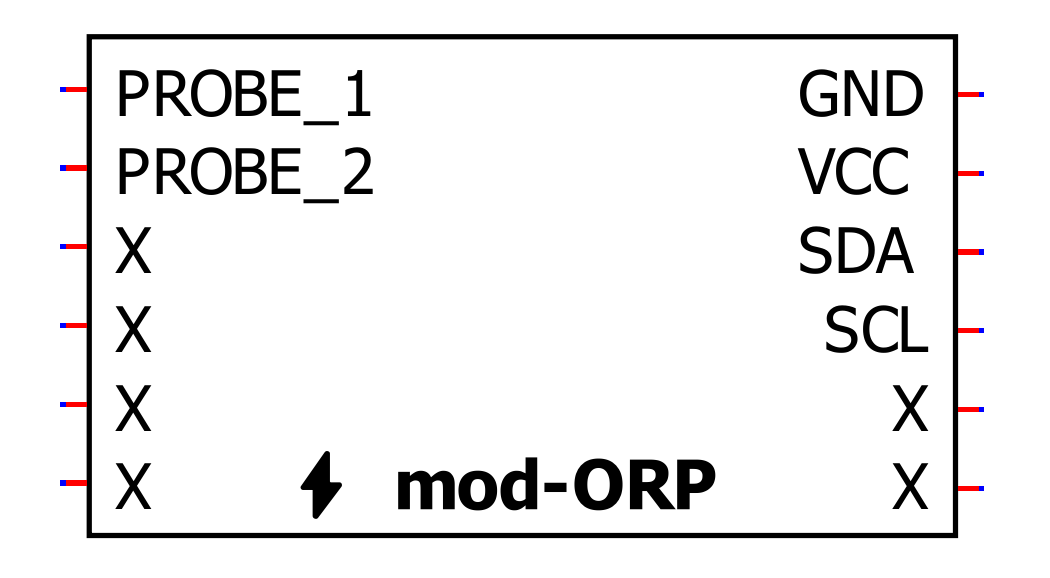
| Pin | Function |
|---|---|
| PROBE_1 | Provides a connection to the sensing electrode of a ORP probe |
| PROBE_2 | Provides a connection to the reference electrode of a ORP probe |
| GND | Ground for the module |
| VIN | 3.3-volt power supply |
| SDA | Data line for I²C interface |
| SCL | Clock line for I²C interface |
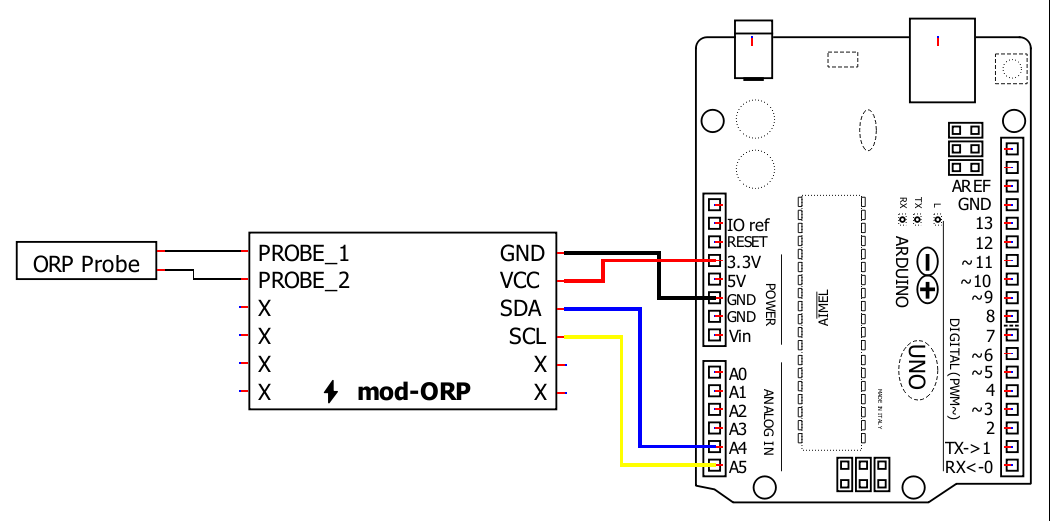
Wiring directly to a host controller
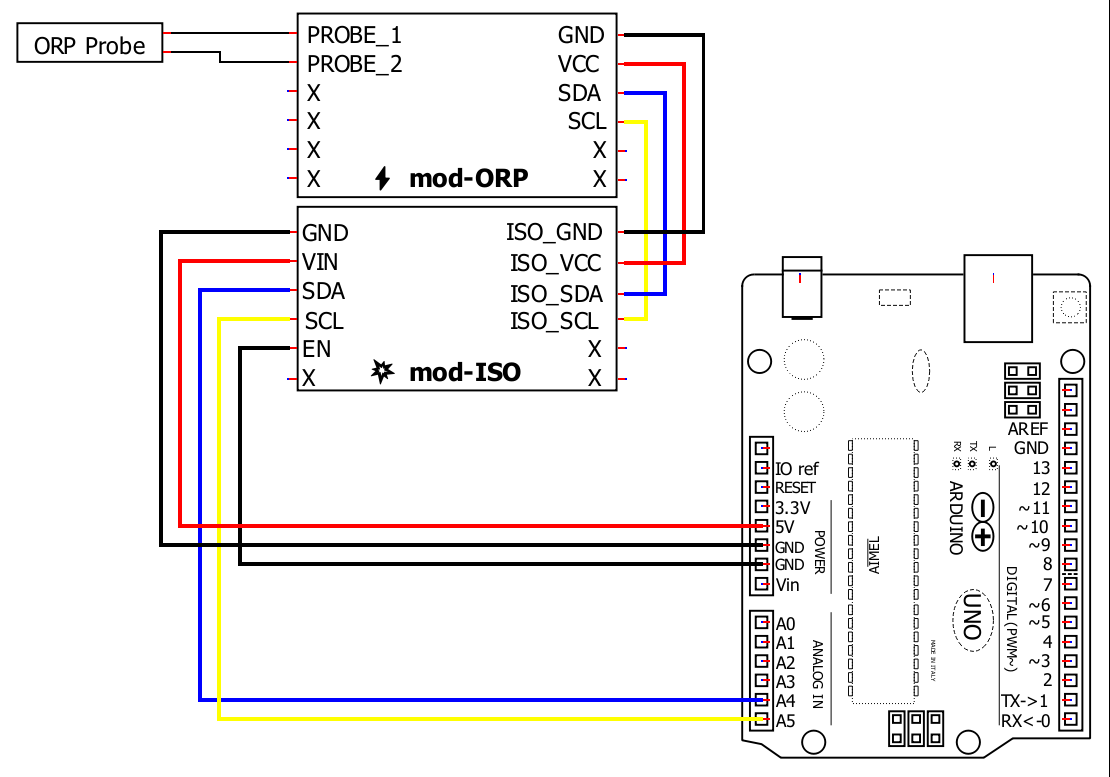
Using a mod-ISO module for isolation
1.
🔽 Install Arduino IDE
Install the Arduino IDE
2.
📦 Install the library
Start the Arduino IDE, press the Sketch menu, and then Include Library > Manage Libraries. Search for Microfire_Mod-ORP and install the library.
3.
🔢 Code
Below is the Basic example. It can be found in File > Examples > Microfire_Mod-ORP > Basic in the Arduino IDE.
4.
➡️ Upload the code
Pick the board and port, then Upload the code.
5.
🔎 View the output
Open the Serial Monitor, measurements should be displayed in the monitor, with updates every second.
6.
Documentation
The library is documented here:
1.
📦 Install ESPHome
Follow the instructions on the ESPHome website.
2.
⌨️ Start a project
Type esphome wizard mod-orp.yaml in the terminal. Make sure the path on the terminal is where you want the project to be. Follow the steps, and there should be a .yaml file in the directory you ran the command in. For this write-up, it will be mod-orp.yaml. If you type esphome compile mod-orp.yaml you should see the project compile.
3.
🔢 Code
The YAML file should be changed to the following:
Wiring
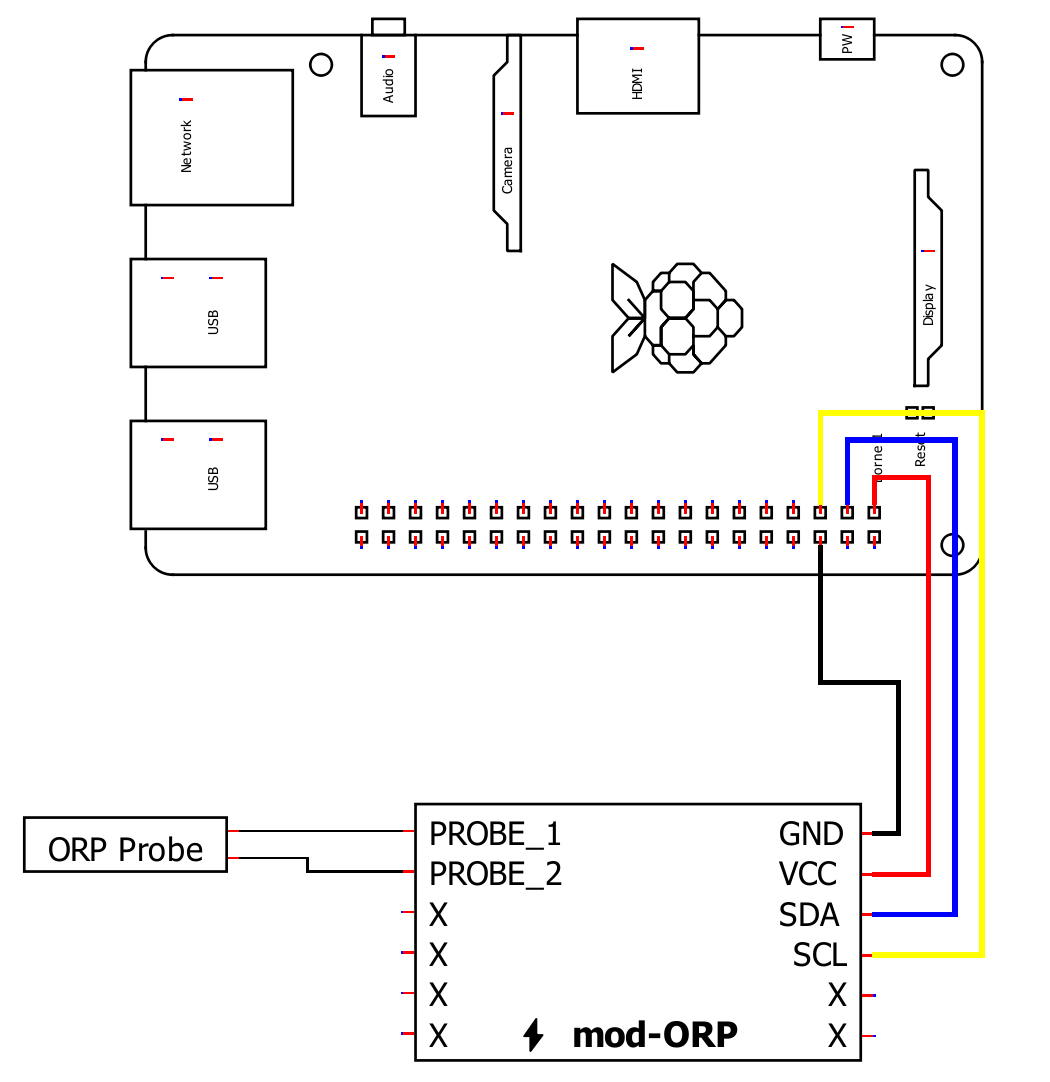
1.
📦 Install the library
This Python library can installed through pip in a terminal:
pip3 install Microfire-Mod-ORP
Typing python3 -m Microfire_Mod_ORP.shell will start the shell application and give access to
all features and functions of the module. Type help to see a listing of the commands available.
2.
🔢 Code
Create a python script and run the following sample code.
3.
Documentation
The library is documented here: